
Free browser game
Drink the Ocean
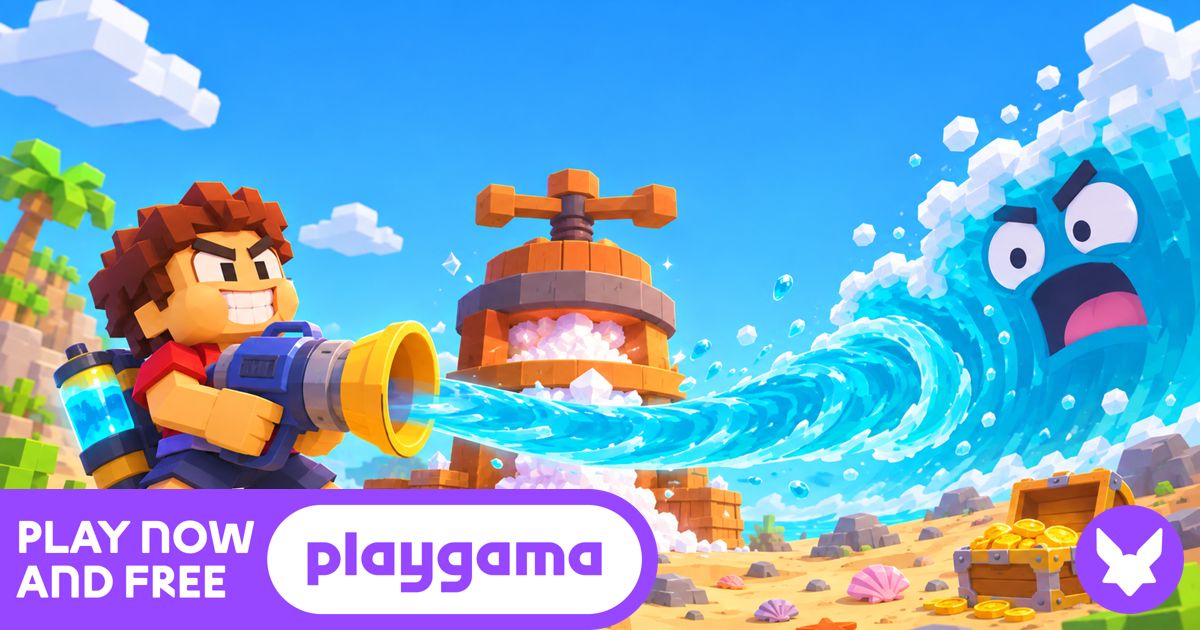
Loading Drink the Ocean…
The player above is Pinidi Studio’s Drink the Ocean, loaded from Playgama. It is not Mana’s official first-person game.
What Drink the Ocean is
Drink the Ocean is a free incremental game built around one joke that turns into a loop: you drink the sea, turn what you collect into upgrades, and go back for a bigger sip. People search for Drink the Ocean because they want to play it in a browser, without installing anything, and they want to know which game with that name they actually found.
That last point matters. In 2026 the name Drink the Ocean refers to more than one game. The player at the top of this page starts Pinidi Studio’s Drink the Ocean through Playgama. In that version you sip seawater, turn it into salt, and spend the salt on better tools so you can drink more of the ocean. Playgama lists it for desktop browsers as well as Android and iOS browsers, and you can start it from this page without leaving the site.
A separate game, also called Drink the Ocean, is made by Mana. Mana’s Drink the Ocean is a first-person incremental for desktop browsers. You stand on an island, drink from the shallows with a straw, and watch the waterline fall. Treasure shows up on the seabed. You sell those finds to a merchant and buy a stronger straw so you can reach a shipwreck farther out. Mana’s official player supports solo play and co-op for up to four people. It cannot be placed inside another website, so this page does not pretend to host it. If that is the Drink the Ocean game you saw in a clip — an island, a merchant, and a straw — use the official Mana link below.
A third project, Drink The Ocean For Brainrots, is a Roblox experience about collecting Brainrots and upgrading a base. It is not the browser game in the player above, and it is not Mana’s desktop game either.
This site exists so you can start one real, playable version of Drink the Ocean right away, then tell the other versions apart before you spend time in the wrong one.
How to play Drink the Ocean on this page
Press Play Drink the Ocean. The cover is replaced, in the same frame, by a short loading state and then the game itself. Nothing opens in a new tab for this version.
- Start sipping. Begin in the starting area and collect your first batch of seawater. The goal in Pinidi Studio’s Drink the Ocean is to keep drinking and converting what you haul in.
- Turn water into salt. This version’s economy is salt. Press or process the seawater you collected so you have something to spend.
- Buy a stronger tool. Spend salt on upgrades — a better straw or a better press — then go back out and cover more of the ocean than you could on the last trip.
Use a mouse and keyboard on a computer. On a phone or tablet, try landscape and the fullscreen button if the player feels cramped. I have not verified every upgrade name in Pinidi Studio’s Drink the Ocean, so this guide stays with the loop Playgama describes: sip water, earn salt, and upgrade your tools. If a menu in the game uses different words, follow the game.
If you meant Mana’s Drink the Ocean
Mana’s official Drink the Ocean is played on a desktop with a keyboard and mouse. Start close to shore so you can get back to the island, look for treasure on the ground as the water drops, carry it to the merchant, and buy a stronger straw. Open multiplayer from Mana’s own menu if you want to play with friends. That official player is here: Play Drink the Ocean on Mana.
Which Drink the Ocean game is this?
If a video, a friend, or a search result sent you here, use this table before you settle in. All three products reuse the Drink the Ocean name; they do not share a publisher or a save file.
| Game | How to recognize it | Where it runs | On this site |
|---|---|---|---|
| Drink the Ocean by Pinidi Studio | Blocky first-person view, seawater pressed into salt, tool upgrades | Desktop and mobile browsers via Playgama | This is the game in the player at the top of the page |
| Drink the Ocean by Mana | Island merchant, falling waterline, treasure, shipwreck, straw upgrades | Desktop browser on Mana, solo or co-op for up to 4 | Not embedded; official link only |
| Drink The Ocean For Brainrots | Brainrots, base slots, rebirths, Roblox avatar | Roblox | Not on this page |
Want the official Mana page in a new tab? Use mana.gs/play/drink-the-ocean. Want Pinidi Studio’s listing on Playgama itself? Use playgama.com/game/drink-the-ocean. The Roblox listing, when you need it, is Drink The Ocean For Brainrots.
Questions people ask about Drink the Ocean
Is Drink the Ocean free? Yes. The Playgama version on this page is free to start in the browser, and Mana also offers free official browser play on its own site. This page does not charge you to press Play.
Do I need to download Drink the Ocean? No. Both browser versions run in the tab. The Roblox version is played inside Roblox, which is a separate app or website.
Can I play Drink the Ocean on a phone? Pinidi Studio’s Playgama version is listed for Android and iOS browsers; landscape and fullscreen usually help. Mana’s official Drink the Ocean is built for a desktop keyboard and mouse.
Can I play with friends? Mana’s official Drink the Ocean supports up to four players from its own multiplayer menu. The Playgama version on this page is a single-player incremental.
Does my progress save? Treat that as something the player itself has to show you. Do not close the tab until you have seen whether Pinidi Studio’s Drink the Ocean writes a save in this browser. Mana’s official game has its own save behavior on Mana’s site; progress does not carry between these versions.
What if Drink the Ocean will not load? Try another browser, turn off blockers for this page, and use fullscreen. If this player still fails, open the same Pinidi Studio game on Playgama, or switch to Mana’s official player if that is the game you wanted.
I have not published unverified scoring tricks, hidden item lists, or “best” upgrade orders for Drink the Ocean. If I add tips later, they will come from actually playing or from a source I can point to.
Drink the Ocean FAQ
Is Drink the Ocean free?
Yes. The Playgama version on this page is free to start in the browser, and Mana also offers free official browser play on its own site. This page does not charge you to press Play.
Do I need to download Drink the Ocean?
No. Both browser versions run in the tab. The Roblox version is played inside Roblox, which is a separate app or website.
Can I play Drink the Ocean on a phone?
Pinidi Studio’s Playgama version is listed for Android and iOS browsers; landscape and fullscreen usually help. Mana’s official Drink the Ocean is built for a desktop keyboard and mouse.
Can I play Drink the Ocean with friends?
Mana’s official Drink the Ocean supports up to four players from its own multiplayer menu. The Playgama version on this page is a single-player incremental.
Does my Drink the Ocean progress save?
Treat that as something the player itself has to show you. Do not close the tab until you have seen whether the Playgama version writes a save in this browser. Progress does not carry between this version, Mana’s official game, and the Roblox experience.
What if Drink the Ocean will not load?
Try another browser, turn off blockers for this page, and use fullscreen. If this player still fails, open the same Pinidi Studio game on Playgama, or switch to Mana’s official player if that is the game you wanted.
Is this Mana’s official Drink the Ocean?
No. The player on this page is Pinidi Studio’s Drink the Ocean from Playgama. Mana’s official first-person game is linked from this page and cannot be embedded here.
What did you think of Drink the Ocean?
Tell other players your best run, which version you arrived looking for, or a tip that actually worked for you.
Owner